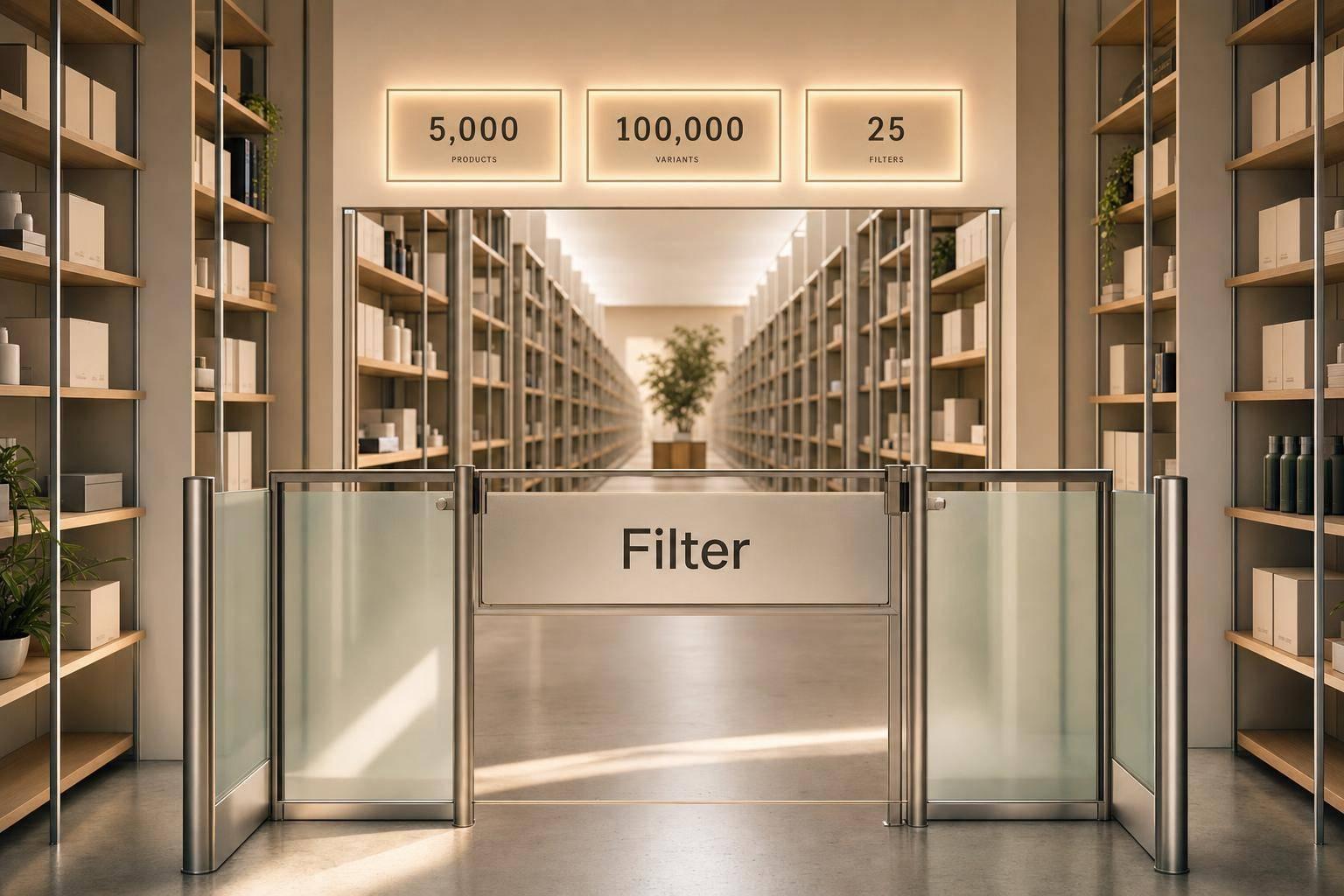
Filter limits on large Shopify collections
If Shopify filters disappear, the cause is often a hard platform limit, not your theme.
When I look at large catalogs, I focus on four numbers first: 5,000 products per collection, 100,000 search results, 25 store filters, and about 100 visible values per storefront filter. If you cross one of those limits, filters can vanish, values can drop out, or search and collection pages can behave differently.
Here’s the short version:
- Collection filters stop showing when a collection goes over 5,000 products
- Search filters stop showing when a search returns over 100,000 matches
- Shopify supports only 25 total filters across the store
- A filter may exist in the app but still show only about 100 values on the storefront
- Messy data like “Gray” vs. “Grey” or “XS” vs. “Extra Small” can make missing values look like a setup problem
- Heavy traffic can make filters look slow or unstable, but it does not change the hard limits
That means I’d check page size first, then filter count, then value count, and only after that look at theme or data setup. If a broad collection is over the cap, the fix is to split it. If values are missing, the fix is usually cleaner product data and fewer fragmented entries.
This article explains which limit matches each symptom, what those caps look like in practice, and how to tell the difference between a data issue and a Shopify limit.
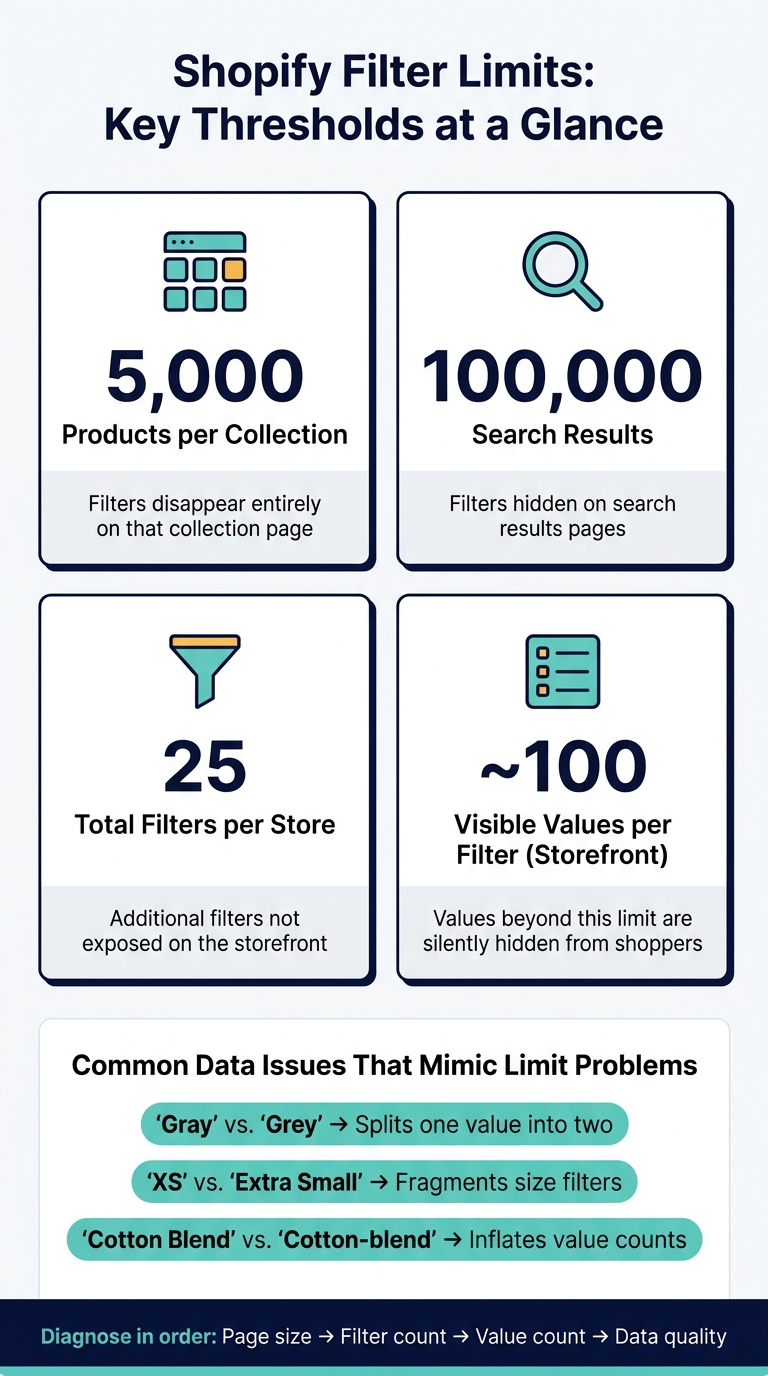
Shopify Filter Limits: Key Thresholds at a Glance
When filters stop appearing on large Shopify collections

Shopify has hard platform limits that decide whether filters show up at all. Once a store crosses one of those limits, theme edits or Liquid tweaks won't bring the filters back.
Product count thresholds for collections and search
On collection pages, the rule is simple: collections with more than 5,000 products won't show filters. That often hits broad collections like All products, Sale, or Outlet, especially after large imports or seasonal growth. One day the filters are there, the next they're gone.
Search works a bit differently. Filters disappear from search when a query returns more than 100,000 results. So you can end up in an odd spot where filters still show on collection pages but vanish in search results, or the other way around, depending on which limit got hit.
Store-level filter count limits
Product totals aren't the only thing to watch. Shopify also caps stores at 25 filters total, including both standard and custom filters.
That means each filter slot matters. Put those 25 spots toward the things shoppers use most, like:
- size
- color
- material
- fit
- key specs
If a filter adds little value or repeats another one, it's usually better to remove it.
Table: page type and filter availability limits
The limits below control whether filters can appear at all.
| Page type | Limit type | Threshold | Filter behavior |
|---|---|---|---|
| Collection page | Product count | More than 5,000 products | Filters hidden entirely on that collection |
| Search results | Result count | More than 100,000 results | Filters hidden on that search results page |
| Storefront filtering | Store filter count | More than 25 filters configured | Additional filters not exposed on the storefront |
If a collection is too large, split it into smaller collections that stay under 5,000 products. For example, one large Sale collection can become Sale – Men, Sale – Women, and Sale – Home. That keeps filters available across each page.
If filters still show but some values are missing, the problem is usually a value cap, not a page-level limit.
Why a filter shows but expected values are missing
A filter can be visible in Shopify and still leave out values you expect to see. That’s the frustrating part: the filter is there, so it looks like everything is set up right, but Shopify may quietly skip some values anyway.
Unique value caps by filter type
Each filter type has its own limit.
Tags support roughly 5,000 unique values before Shopify starts skipping or merging low-frequency tags. Product options and standard attributes like Color, Size, and Material are capped at 1,000 unique values per attribute. Metafields can miss values because Shopify scans only a limited set when it builds filters.
This gets worse when naming is messy. If one team uses “Light Blue,” another uses “light blue,” and someone else enters “Lt. Blue,” Shopify treats those as separate values. That splits what should be one value into several, pushes the filter toward its cap faster, and the values most likely to disappear are usually the rare ones or the badly formatted ones.
If values go missing only on certain pages or during heavy traffic, that usually points to scale issues rather than a bad filter setup.
App display limits versus storefront display limits
There’s also a gap between what merchants see in the Search & Discovery app and what shoppers see on the storefront.
The app can show up to 1,000 filter values per filter. The storefront, though, usually shows only about 100 values per filter. So yes, a value can appear in the app and still never show up for customers. Shopify hides values past the storefront limit without any warning.
Shopify also limits values within groups. Once a group is full, new values can stop appearing. So even when the product data is correct, a newly added value may stay hidden if that group is already saturated.
Table: filter types and value limits
| Filter type | Max unique values | App display limit | Storefront display limit | What happens |
|---|---|---|---|---|
| Tags | ~5,000 | Up to ~1,000 | Fewer than ~100 | Niche or older tags are missing from filters; app shows more than storefront |
| Product options (e.g., Size) | ~1,000 per option | Up to 1,000 | About 100 per filter | Certain sizes never appear; long size lists are truncated |
| Standard attributes (e.g., Color, Material) | ~1,000 per attribute | Up to 1,000 | About 100 per filter | Common colors show, but rare shades and inconsistent spellings drop off |
| Metafields | Can miss values because Shopify scans only a limited set | Up to 1,000 | About 100 visible values | Metafield values may never surface on the storefront |
| Filter groups | About 200 unique values per group | - | Some values in large groups never appear | New values in saturated groups fail to appear |
FacetGuard can flag fragmented values and missing metafield definitions before they hit a cap.
If caps don’t explain the missing values, the next thing to check is collection size and peak traffic.
How collection size and peak traffic affect filter behavior
What changes as collections grow larger
If caps aren't the issue, the next thing to check is catalog size and traffic.
Even before you hit 5,000 products, bigger catalogs make filter data harder to keep clean. The reason is pretty simple: more products usually mean more mixed-up attribute values. And once that happens, filters reach their limits faster.
A small set of reusable filters helps cut down on duplication. Grouping filters by data type - like color, material, or size - also keeps things easier to manage as the catalog gets bigger.
At 5,000 products, collection-page filters disappear. At that point, the fix is to break the collection into smaller collections based on shopper intent. Shopify's own guidance gives examples like splitting a broad women's fashion collection into tops, jeans, and boots.
Why peak traffic can make filters look unreliable
Peak traffic doesn't change the limit. But it can slow facet counts on broad collections, which makes filters seem unstable until traffic settles down.
Here's the key difference:
- If filters disappear because a collection is over 5,000 products, they won't return when traffic drops.
- If filters only look unstable during a traffic spike and then recover, the problem is tied to performance, not a hard limit.
If filters still act up, look at the collection structure first, then check whether you're dealing with a short-term traffic slowdown.
Table: catalog size and mitigation strategy
| Catalog size | Recommended active filters | Common issues | Primary mitigation |
|---|---|---|---|
| Under 1,000 products | A focused set within the store's filter budget | Few issues; straightforward filtering | Use standard Shopify filters and a small number of metafields |
| 1,000–4,999 products | About 10–15 core reusable filters | Overlapping facets, inconsistent values, harder maintenance | Normalize filter data and remove one-off filters |
| Approaching 5,000 products | About 10–15 core filters, sometimes fewer | Slower perceived facet updates, hidden values, more maintenance overhead | Split collections, standardize metafields, and remove low-value filters |
| Over 5,000 products | Collection-page filters unavailable | Filters disappear completely | Divide the collection into smaller collections organized by shopper intent |
FacetGuard's Filter Blockers Scanner flags collections where filters are likely to fail and shows the cause.
sbb-itb-e8e54fb
How to diagnose disappearing or broken filters
A checklist for confirming the root cause
Use this order to split hard platform limits from plain data problems.
1. Check the page limit first: collection pages stop at 5,000 products, and search pages stop at 100,000 results.
2. Count your active filters. Shopify allows up to 25 total filters across standard and custom filters. If you’re close to that limit, some filters may not show up the way you expect.
3. Check for value caps: if a filter shows up but some values don’t, the storefront may be cutting the list short.
4. Audit your catalog data. Look for naming mismatches in option values and metafields. “Gray” vs. “Grey,” “XS” vs. “Extra Small,” and “Cotton Blend” vs. “Cotton-blend” can split facets into separate entries. That makes filters seem broken even when the attribute itself is set up the right way.
Where FacetGuard fits in for large catalogs
Once the same problem starts showing up across lots of products or collections, manual review turns into a slog. It can still help you spot the type of failure. But it won’t get you very far at scale.
FacetGuard checks catalog attributes across the store, flags blockers and high-cardinality fields, and points out inconsistent option names across products and collections.
Table: symptom, cause, confirmation, and tooling
| Observed issue | Likely cause | How to confirm | How FacetGuard helps |
|---|---|---|---|
| No filters on a large collection page | Collection exceeds 5,000 products or store has hit the 25-filter cap | Check the collection’s product count and count active filters in Shopify | Filter Blockers Scanner flags the collection |
| Size filter visible but half the values are missing | Inconsistent option naming (“XS” vs. “Extra Small”) or the 100-value storefront cap | Compare size values across products in the collection; count distinct values | Option Name Consistency & Coverage; Value Limit/Cardinality Audit |
| Color facet fragments differently across similar collections | Near-duplicate values (“Blue,” “blue,” “Blue / Navy”) treated as separate entries | Export option values and sort alphabetically to spot variants | Attribute View shows value distribution and gaps |
| Material filter works on one category but not another | One collection uses standardized metafields; the other relies on unstructured product data | Compare metafield configuration between the two collections | Attribute View; Implementation-aware Checks for metafield schema issues |
| Filter values look incomplete on a larger collection | High cardinality or inconsistent normalization across the catalog | Compare the attribute against a smaller matching collection | Value Limit/Cardinality Audit; Collection View |
Conclusion: The limits to know and the fixes that matter most
Once you’ve confirmed a limit, the answer isn’t a surface-level tweak. It’s a catalog fix. On large Shopify stores, most filter problems trace back to three hard caps: 5,000 products per collection, 100,000 search results, and 1,000 filter values in the app.
That means the job is to shape the catalog around the limits Shopify sets. Split up broad collections. Standardize attribute names so filter values stay inside Shopify’s caps. Stick with a small set of standard metafields, and skip ad hoc tags that slowly turn into a mess.
It also helps to be picky about which filters stay. Keep the ones shoppers use most. Cut the fragmented ones that add clutter but don’t help people find products. A tighter filter set is simpler to manage and less likely to drift as the catalog gets bigger.
For stores that deal with catalog drift month after month, automated audits can save a lot of cleanup time. Product feeds, vendor feeds, and staff edits often introduce small inconsistencies, and those pile up. Running a structured audit before big campaigns or major catalog imports helps catch issues before they turn into lost conversions. FacetGuard is built for this: it audits catalog attributes and flags broken or missing filters across collections and search.
The core idea is simple: manage collection size, normalize data, and audit on a regular basis so key pages stay under Shopify’s caps, even as your catalog and traffic keep growing.
FAQs
Why do filters disappear on some collections but not others?
Filters can disappear for a few common reasons: Shopify limits, messy product data, or store settings.
For example, Shopify may hide filters when a collection has more than 5,000 products or when search results go past 100,000 items.
Filters can also vanish if Search & Discovery is set to hide empty values. And if your product data isn’t consistent - like using different names for the same thing or leaving metafields blank - Shopify may not show those filters the way you expect.
Why are some filter values missing even when the filter is visible?
Some values may not appear because Shopify only shows up to 100 unique values for each filter.
Naming can also trip you up. If you use "Red", "red", and "RED", Shopify may treat them as separate values instead of one. And if Hide empty values is turned on, some options won't show in collections where no products use that attribute.
There’s also a timing issue. New or updated metafield values can stay hidden for 24 to 48 hours while Shopify finishes indexing them.
One more catch: if a collection has more than 5,000 products, Shopify may stop fully processing that filter data.
How can I tell a Shopify limit from a traffic or data issue?
Check the thresholds first. If filters disappear entirely, the cause is often a Shopify limit: filters are hidden on collections with more than 5,000 products or search results with more than 100,000 items.
If filters still show up but have missing values or return zero results, the problem is usually in the data. Common causes include:
- More than 100 unique values in a filter
- Inconsistent naming, like "Color" vs. "Colour"
FacetGuard can help audit those issues.